Tickz Demo Account: Practice Before Real Trading
What Is Tickz Demo Mode?
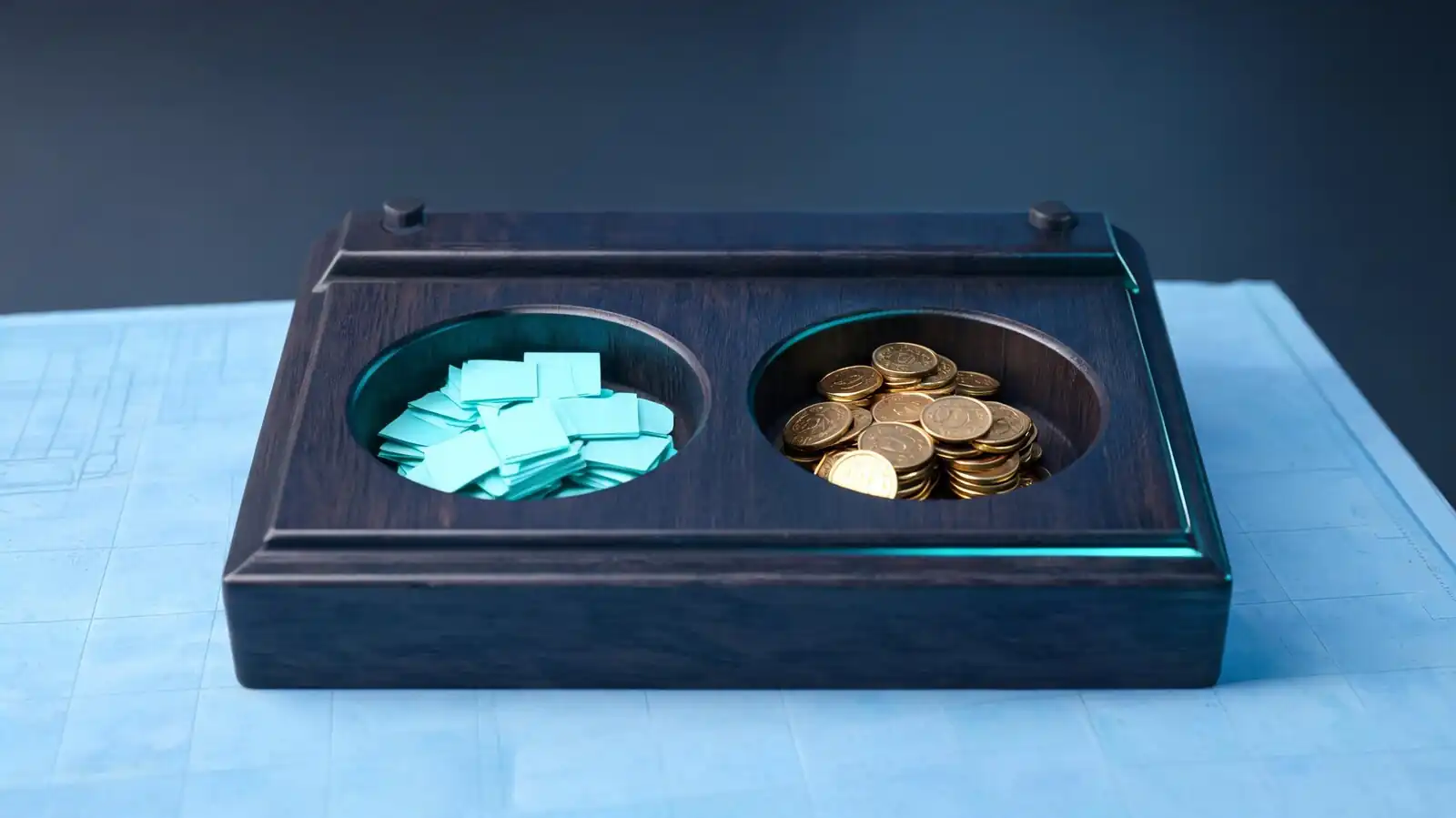
Demo mode is a parallel account funded with virtual currency. It mirrors the live charts and order types but uses simulated execution, so wins and losses do not touch real money.
Virtual sandbox basics
Demo mode is a parallel account funded with virtual currency. It mirrors the live charts and order types but uses simulated execution, so wins and losses do not touch real money. The point of the sandbox is to remove platform-mistake risk before any real deposit lands — order entry, stop placement, chart navigation, and the account-mode toggle all behave the same on demo as on live, so the muscle memory transfers cleanly. The demo balance comes preloaded with a generous amount of virtual currency and can be reset from account settings whenever you blow up the balance.
Demo balance versus real funds
The demo balance is virtual currency that cannot be deposited or withdrawn. Trades on demo do not touch the live wallet, and resetting demo does not affect anything on the real side. No real deposits, no real withdrawals, no KYC required to use it.
- Virtual balance — typically resettable on request
- Same interface as the live terminal
- Same asset list, though demo spreads may not perfectly match live
- Switch between demo and live with a toggle in the account menu
Market simulation limits
The simulation is close to live but not identical. Demo spreads can be tighter, slippage is usually understated, and execution lag during news is hard to reproduce on virtual fills. If some third-party reviews are accurate that Tickz offers fixed-time short-term options at 30-second timeframes and 70-90% payouts, demo is the right place to learn how those order tickets work before risking real money. Confirm the actual order types available in your region inside the platform, because the product mix can differ by country.
Demo is the same interface and asset list, funded with virtual cash you can reset — perfect for learning, not for forecasting.
How to Start a Demo Account
After signup, the demo loads by default. If you already deposited and switched to live, use the account-mode toggle in the menu to flip back. Demo does not require KYC.
App or web account flow
Tickz routes new accounts to demo on the first login, which gives a few minutes of zero-risk exploration before the deposit prompt appears. The flow is the same whether you sign up on the website or in the mobile app, and the same login works across both. Use the device you plan to trade on most so the account-mode toggle, watchlists, and chart preferences are tuned where you will actually use them.
- Sign up on https://tickz.com/ or in the Tickz app (Android com.tickz, iOS via App Store)
- Verify your email and log in
- Look for the account-mode toggle near your balance (often a dropdown labelled Demo / Real)
- Switch to Demo if you are not already there
- Open the asset menu and pick a liquid market like EUR/USD or gold to practise on
No-deposit practice checks
You do not need to deposit, complete KYC, or share ID to use demo — those steps are only required when you switch to live trading and want to deposit or withdraw real funds. That makes demo the only safe environment to evaluate the platform before any money is committed. Run at least a week of demo trades, including at least one full deposit-and-withdraw rehearsal on a tiny live amount, before scaling exposure. If the platform asks for KYC documents while you are still on demo, you are no longer on the demo side.
Resetting demo balance to verify
Resetting the demo balance is the simplest way to confirm you are actually on the demo side and not accidentally trading live cash. Open account settings, find the demo-balance reset control, and trigger it — only the virtual balance changes, so real funds stay untouched. If the reset is missing or disabled, you may have toggled into the live account by mistake. Flip the account-mode toggle back to Demo and try the reset again before placing trades.
Sign up, find the Demo / Real toggle, switch to Demo, and reset the virtual balance as needed.
What to Practice First
Spend the first sessions on platform mechanics, not on profit-seeking: order entry, stop-loss placement, chart navigation, and the deposit-and-withdraw flow if you can test it with a tiny live amount.
Placing basic trades
The temptation on demo is to chase virtual profits. That trains the wrong habits because losing virtual money does not hurt. The better use of demo is to remove platform mistakes from the picture before real money arrives. Start with market orders on a single liquid asset like EUR/USD or gold, watch how the order ticket fills, and confirm the position appears correctly in the open-positions list. Once market orders feel routine, move to limit and stop orders, and practise cancelling pending orders before they trigger.
Reading charts and indicators
Spend the first sessions on platform mechanics, not on profit-seeking. Find the timeframe selector, the indicator menu, and the drawing tools without rushing.
- Order entry — place market and limit orders until the ticket layout is second nature
- Chart settings — explore the timeframe selector, indicator menu, and drawing tools
- Asset switching — move between forex, gold, crypto, and stocks so the navigation is muscle memory
- Account-mode toggle — practise switching between demo and live without panicking
Setting risk limits
Set a stop-loss and a take-profit on every demo trade, even though no money is at stake. The point is to make stops a default rather than an afterthought, because the trade that goes wrong without a stop is the one that wipes out a real account. If Tickz in your region offers short-term options at 30-second timeframes, demo is the only safe place to see how the fast timer affects decision-making — taste it on virtual cash first and decide whether the timeframe matches your discipline before risking real funds.
Practise platform mechanics first; profit-chasing on demo teaches habits that fall apart in live.
Testing Signals in Demo
Demo is a useful place to back-test or forward-test a signal source over weeks before subscribing or paying for it. Do not confuse demo wins with proof — execution and psychology shift in live.
Track wins and losses
Plenty of traders pay for Telegram signal groups or YouTube "guru" picks. Most of those services do not survive an honest forward test, and demo is where to run that test before money is at risk. Take signals from the source exactly as published — no skipped trades, no resized positions — and log every entry, stop, and exit in a spreadsheet. Track win rate, average win, average loss, and drawdown rather than just total P/L. A signal channel that "wins 80%" can still bleed an account if the losses average three times the wins.
Avoid trusting short streaks
A handful of winning trades is not evidence of an edge. Random chance produces streaks in both directions, and selective reporting on signal channels exaggerates the wins.
- Run the test for at least four to six weeks so the result is not a single-week fluke
- Include the drawdown trades, not just the wins
- Watch for the slow drift down that comes from selective reporting on the signal channel
- Compare the channel's stated results against your independently logged trades
Compare signal timing
Even an accurate signal can lose money if the entry message arrives after the move has already played out. Log the timestamp of each signal alongside the price at receipt and the price the channel claims as entry — the gap between those is the slippage you would actually experience. No signal service is verifiable from the outside; Tickz cannot certify any third-party signal as accurate, and neither can we. Treat any "guaranteed accuracy" claim as marketing. Demo profits from copying a signal channel are not predictive of real profits.
Run a four-to-six-week forward test on demo before paying for any signal service or trusting it with real cash.
Demo Versus Real Trading
Three things change when you flip from demo to real: spreads can widen, execution can lag during news, and your own decision-making warps when real money is on the line. Plan for all three.
Slippage and execution differences
The platform feels identical, which makes the differences sneaky. A trade that fired at the exact bid on demo can fill at a worse price live, especially around economic data releases. Slippage on fast markets is real, and the demo simulation usually understates it. Live spreads can widen sharply on news, holidays, or thin sessions, and order acknowledgements can lag during volatility. Plan position sizes for the worst-case spread, not the typical one.
Emotional pressure with real money
The biggest gap between demo and live is the trader's own behaviour. Winning on demo is easy because there is nothing to lose; the same setup in live triggers fear, early exits, and overrides of the original stop.
- Execution speed — order acknowledgements can lag during volatility
- Slippage — stop losses can fill below the price set, especially on gaps
- Psychology — fear and greed reshape every decision once real cash is at risk
- Withdrawal flow — only the real account exposes you to KYC delays and withdrawal processing times
Why demo profits are not proof
Demo profits are not predictive of real profits. The combination of better simulated fills and zero emotional pressure makes demo performance systematically more optimistic than what the same trader produces live. Trading carries real risk and you can lose more than you deposit. Tickz is licensed offshore (MISA, Comoros) — investor protection is weaker than under CySEC/FCA/ASIC, so the gap between a demo win streak and a real result matters more than it would on a tier-one broker.
Spreads, speed, slippage, psychology — four shifts between demo and live, plan for each before switching.
When to Stay on Demo
Stay on demo if you cannot afford to lose the minimum deposit, if you are still learning order types, or if your signal source has not yet proved itself across at least a month of forward testing.
No written strategy yet
There is no rush. The Tickz demo balance does not expire, and the platform does not penalise long demo use. Switching to live before you are ready is the single most common way new traders lose their starter capital in the first month. If you cannot articulate why each trade was taken, including the entry trigger, the stop level, and the profit target, the strategy is not written down yet. Spend more time on demo and write the playbook before any deposit. A strategy that is clear enough to explain to someone else is clear enough to test for real.
Withdrawal rules not verified
The deposit-and-withdraw cycle is the most important test on any offshore broker, and demo cannot rehearse it. The closest you can get on demo is to read every line of the payments panel until the rules are explicit.
- If your last twenty demo trades still have basic execution mistakes (wrong size, wrong direction), stay on demo
- If you do not have a written risk plan (max loss per trade, max daily loss), stay on demo
- If you have not read the withdrawal fees, minimums, and processing windows for your method, stay on demo
- If a bonus offer is active, understand the volume conditions before depositing
Regulation or country doubts remain
If a regulated broker (CySEC, FCA, ASIC) makes more sense for your jurisdiction, consider that instead of going live on Tickz. Tickz is licensed offshore (MISA, Comoros) — investor protection is weaker than under CySEC/FCA/ASIC, and recovery routes for a dispute are slower. The minimum live deposit on Tickz is around $10 per third-party reviews, which is low — but a low minimum is not a reason to skip the preparation step or to ignore licence concerns. If the planned deposit is money you cannot afford to lose, do not move to live at all.
Stay on demo until execution is clean, risk rules are written, and the planned deposit is genuinely disposable.
Frequently asked questions
Is the Tickz demo account free?
Yes, the demo account is free and does not require a deposit or KYC. You only need to register an email and password, verify the email link, and log in. The demo balance is preloaded with virtual currency and can be reset from account settings when it runs out. You can stay on demo as long as you want before deciding whether to fund a real account.
How long can I use the Tickz demo?
The demo balance does not expire as long as the account remains active. You can practise for weeks or months without funding the live side. If you ignore the account for an extended period, Tickz may archive inactive accounts under standard broker policy — log in occasionally to keep it open. Resetting the demo balance is also available whenever you blow through the virtual cash.
Are demo trading results accurate?
Demo trades use simulated execution against live or near-live price feeds, so the chart movement is realistic but the fills are not perfectly representative. Live spreads can widen during news, slippage is more aggressive than demo simulates, and your own psychology changes when real money is on the line. Demo profits are not predictive of real profits — use demo to learn the platform, not to validate a strategy.
Can I switch from demo to real on Tickz?
Yes. Use the account-mode toggle in the menu (often a Demo / Real dropdown next to your balance) to switch instantly. Switching to real requires that you have completed at least the basic registration — withdrawals additionally require full KYC. The first deposit can be as low as around $10 per third-party reviews. Test the withdrawal flow with a small amount before scaling the deposit.
Do Tickz signals work in demo mode?
If Tickz offers in-platform signals or copy-trading features in your region, they typically run on the demo account too, so you can forward-test them on virtual cash before going live. No signal service is verifiable as accurate from the outside — treat any "guaranteed accuracy" claim as marketing. Run any signal source through at least four to six weeks of demo before subscribing or trading it with real money.
Can I lose real money on the Tickz demo?
No. The demo balance is virtual currency that cannot be deposited or withdrawn, and trades on demo do not touch your real wallet. The only "loss" on demo is virtual. The risk only appears when you switch the account-mode toggle to real and fund the account. At that point, trading carries real risk and you can lose more than you deposit — Tickz is licensed offshore (MISA, Comoros).